
How do I allow students to like replies in a course announcement?
Open Announcements
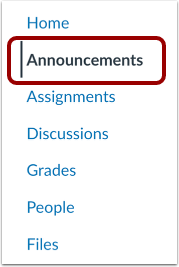
In Course Navigation, click the Announcements link.
Add Announcement

Click the Add Announcement button.
Allow Liking
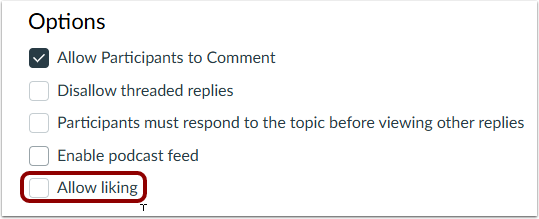
Click the Allow liking checkbox.
Set Liking Options
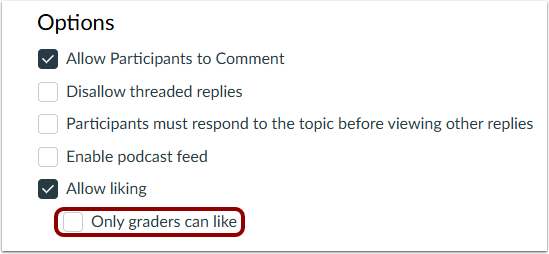
When allowing announcement likes, you can limit the users who can like to graders only.
To limit the liking functionality to only graders in the course, click the Only graders can like checkbox. When this checkbox is selected, only users with the Edit Grades permission can see the Like link. However, all users still see the total number of likes for each reply.
Note: Announcement replies are sorted in descending order.
Publish Announcement

Click the Publish button.
Information for this guide is from The Instructure Community Product Resources.